

Reviewed by
Jarrett Dottin
Licensed Occupational Therapist dedicated to helping others live their best lives. Certified lymphedema therapist and amazon affiliate who has tested over 1,000 different products. About JD →
As an Amazon Associate I earn from qualifying purchases. Some links on this site are affiliate links, if you buy though them I may make a commission at no extra cost to you.
Quick Verdict
Six fans, a full RGB ring, and seven height notches for a laptop cooler that weighs only 2.57 lb. The KeiBn does the two jobs I care about most: it moves real air across a 17-inch laptop and it props the screen up to a posture my neck actually likes. The RGB is fun, but the height stand is the part I’d keep.
Clicking takes you to the seller's website. We may earn a small commission if you purchase, at no extra cost to you.
| Fans | 6 total (3 x 110mm, 3 x 65mm) |
|---|---|
| Dimensions | 16.33 x 11.81 x 1.45 in |
| Weight | 2.57 lb |
| Height range | 7 stands, 16° to 35°, 4.3″ to 7.5″ |
| Lighting | Circular RGB, 10 modes |
| Compatibility | 14″ to 18″ laptops, 2 USB ports |
How a Laptop Cooler Fixed My Throttling Problems
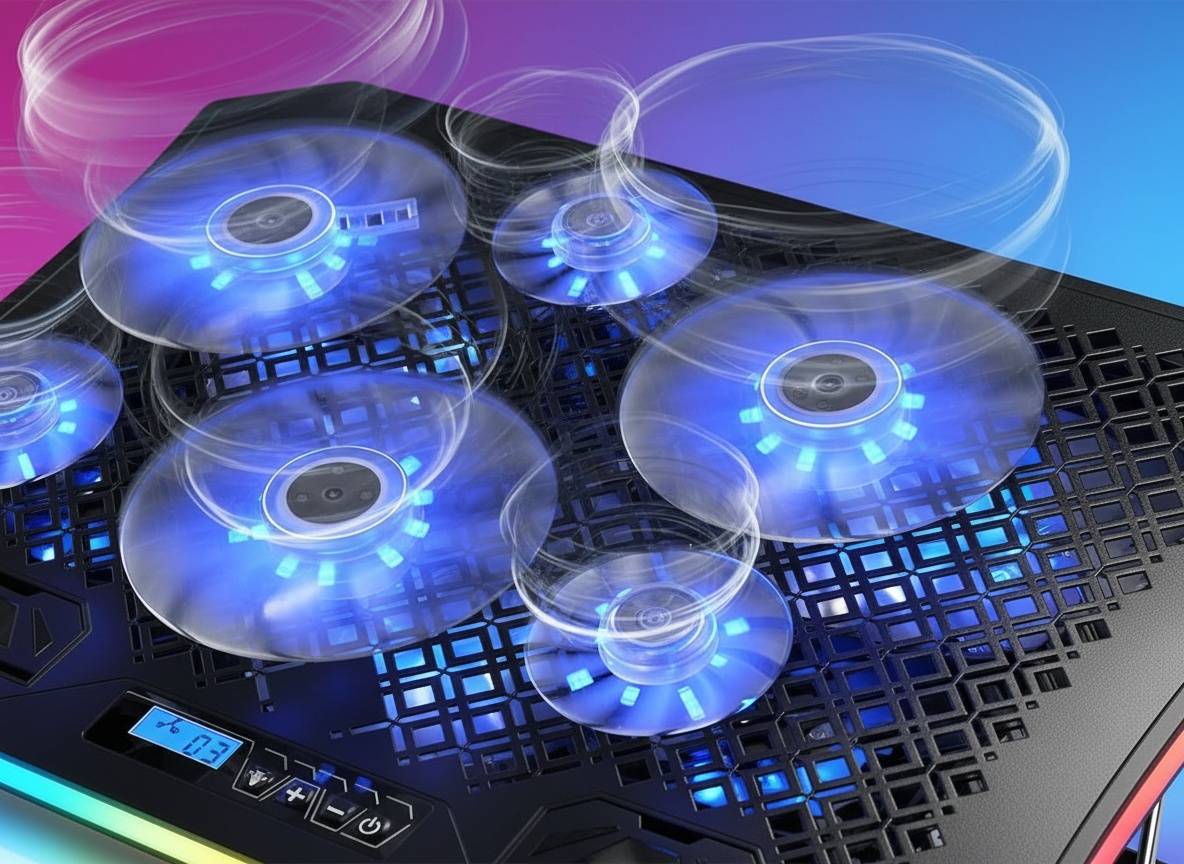
A gaming laptop that throttles mid-session is a slow, quiet kind of frustration. That’s the whole reason I picked up this KeiBn laptop cooler and put it under my 17-inch machine. Six fans, a glowing RGB ring, seven height positions, and a little LCD screen to run it all. Is a laptop cooler with this much going on actually useful, or is it mostly light show? After living with it, I lean toward useful.
Most budget cooling pads are a thin plastic tray with one underpowered fan, and a flat plastic surface traps heat instead of venting it. The KeiBn uses a metal mesh panel across the full 16.33″ base, which means air moves through it rather than pooling underneath your laptop. That’s not a minor material upgrade; it’s the difference between a cooler and a heat shelf.
Six Fans, Two Sizes, One LCD Screen
The fan layout is the smart part: three big 110mm fans and three small 65mm fans. The large fans push volume across the center of the laptop where the CPU and GPU sit, and the smaller ones fill the corners. It’s a geometry thing, and it’s why the airflow feels more even than a single-fan tray.
Everything runs off the LCD display on the pad. That screen controls the RGB lighting, the fan speed, and the light modes, so you’re not hunting for tiny buttons in the dark. You can crank the fans up when you’re gaming and dial them down when you just want a quiet desk. The RGB strip wraps the entire outside edge in a circle, 9mm wide, and there are 10 modes to cycle through.
| Spec | Detail |
|---|---|
| Fan config | 3 x 110mm + 3 x 65mm |
| Light modes | 10 RGB modes, separately toggled |
| Height settings | 7 stands, 16° to 35° |
| Ports | 2 USB (1 pass-through) |
| Weight | 2.57 lb |
Airflow You Can Feel, RGB You Can Turn Off
Hold your hand over the metal panel and you feel it immediately, not a polite breeze, but sustained push from three 110mm fans working across the center of the pad. That coverage matters because the CPU and GPU aren’t at the edge of your laptop; they’re in the middle, which is exactly where this layout concentrates its airflow. A single-fan tray hits one corner and calls it a day.
What I appreciate most: the RGB can be shut off separately while the fans keep spinning. So if you love the light show, ride it. If you’re on a work call and don’t want a rainbow reflecting off the wall, kill the lights and keep the cooling. That flexibility is more useful than it sounds when the same pad has to work for gaming and for spreadsheets.
The Height Hook Takes a Second to Learn
The height adjustment isn’t a smooth-glide mechanism, it’s a metal hook you lift and drop into one of seven slots. First time I set it up I fumbled it, dropping the hook one notch too far and having to redo it. Once you understand it, it’s fast, but it’s not the intuitive push-and-lock some people expect. It’s a slotted hook, plain and simple.
The other small catch: this is USB-powered, so you’re giving up a USB port to run it. There are two ports on the pad and one is pass-through, so you can plug a keyboard or mouse back in, but plan your cable layout. On a laptop with only a couple of ports, that pass-through port earns its keep.
Get it now
KeiBn RGB Laptop Cooling Pad
Get the best price on Amazon →As an Amazon Associate I earn from qualifying purchases. Some links on this site are affiliate links, if you buy though them I may make a commission at no extra cost to you.

Who Gets the Most Out of This
If you run a 15.6 to 17.3-inch gaming laptop and you notice frame drops after 30 or 40 minutes, this cooling pad is aimed straight at you. The six-fan airflow is built for exactly that heat-soak problem. But I’d also point to a second crowd: anyone hunched over a laptop all day. As an OT, I care about posture, and raising the screen 4.3″ to 7.5″ with seven angle options changes how your neck and shoulders sit. That’s not marketing fluff, that’s biomechanics.
The oversized base and metal hook mean you can use it on a desk, a sofa, or across your lap on the bed. The hideable phone holder on either side is a nice touch if you keep a second screen going while you work or play. At 2.57 lb it’s light enough to move room to room without thinking about it.
How It Beats a Basic One-Fan Tray
Against a typical single-fan cooling pad, this KeiBn wins on airflow and posture, no contest. A one-fan tray gives you a puff of air in one spot and usually one flat angle. Six fans across a metal mesh panel cover the whole underside, and seven height slots let you tune the tilt. Where a cheap tray can win is simplicity and price: no LCD screen to fiddle with, no RGB to configure, and often a lighter, thinner profile. If all you want is a slight lift and a little airflow while you browse, a basic tray does that. If you’re pushing a gaming laptop hard, the extra fans matter.
Setup Tips Before You Plug It In
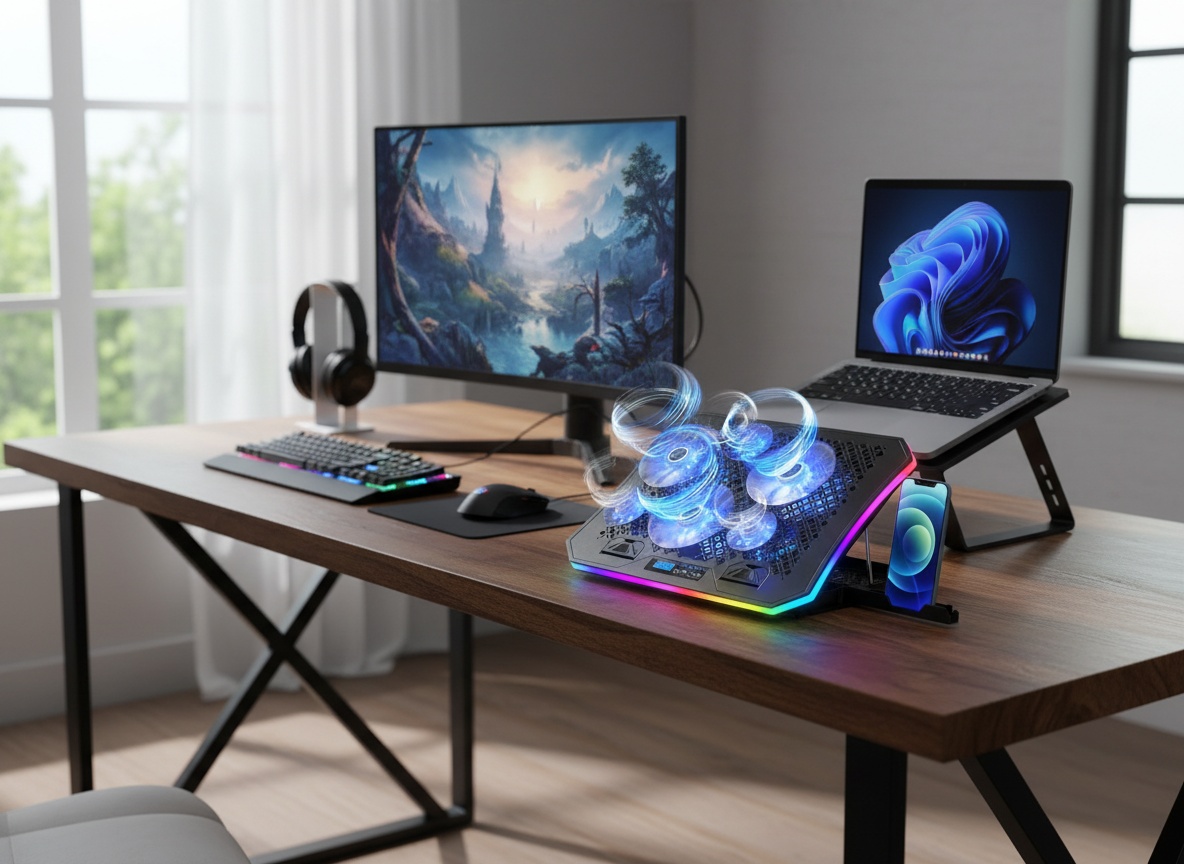
Learn the hook first. Lift it, pick your slot, seat it fully before you set the laptop down, otherwise it’ll shift on you. Plan the USB situation next: use the pass-through port so you don’t lose a mouse or keyboard connection. And if RGB isn’t your thing, remember you can leave the lights off and still run all six fans. The anti-slip pads hold the laptop well, but on the steepest angle, seat the machine against the front lip so nothing wants to slide.
Pros
- Six fans (three 110mm, three 65mm) push strong, even airflow across a 17-inch laptop
- Seven height stands from 16° to 35° that improve posture
- RGB can be turned off separately while the fans keep running
- LCD screen controls fan speed, lighting, and modes in one place
- Light at 2.57 lb with a pass-through USB port and a fold-out phone holder
Cons
- The metal-hook height system takes a try or two to get right
- USB-powered, so you’re occupying a port even with the pass-through
- 10 RGB modes are fun but not why you’d buy it, the cooling and height are the real draw
Frequently Asked Questions
What size laptops does this cooler fit?
It’s built for 14″ to 18″ laptops, with the sweet spot being 15.6 to 17.3-inch machines. The base measures 16.33″ long and 11.81″ wide with an 18.26″ diagonal, so most gaming and productivity laptops sit comfortably on it.
Does it need an app or software to work?
No. Everything runs from the built-in LCD screen on the pad, no app, account, or subscription required. You control fan speed, RGB, and light modes right on the device.
How is it powered?
It’s USB-powered from a port on the right side. There’s an extra pass-through USB port so you can still plug in a keyboard, mouse, or another device without losing a connection.
Can I use the fans without the RGB lights on?
Yes. The RGB lighting can be turned off separately while the cooling fans keep running. That’s handy for work calls or nighttime use when you don’t want the glow.
Is it quiet enough for a shared room?
At lower fan speeds it fades into background noise, usable on a work call without anyone asking what’s humming. Crank it to max for gaming and it’s audible, the kind of steady white noise you notice for about two minutes and then tune out. If you’re recording audio or streaming with an open mic, that’s the one scenario where you’d want it dialed back.
Can I use it on my lap or in bed?
Yes, the oversized base and metal hook make it stable on a desk, sofa, lap, or bed. Anti-slip pads keep the laptop from sliding when you adjust the angle.
Does raising the laptop this way actually help my posture?
It can. Lifting the screen 4.3″ to 7.5″ brings it closer to eye level, which reduces the forward head-and-shoulder slump most laptop users fall into. The seven angle options let you find a position that eases neck and shoulder strain.
What comes in the box besides the pad?
The cooling pad itself includes the built-in phone holder and USB cable for power. There’s no separate app or accessory kit to buy, the LCD controls and RGB are all onboard.
Get it now
KeiBn RGB Laptop Cooling Pad
Get the best price on Amazon →As an Amazon Associate I earn from qualifying purchases. Some links on this site are affiliate links, if you buy though them I may make a commission at no extra cost to you.
About the reviewer
Jarrett Dottin
Licensed Occupational Therapist dedicated to helping others live their best lives. Certified lymphedema therapist and amazon affiliate who has tested over 1,000 different products.