

Reviewed by
Jarrett Dottin
Licensed Occupational Therapist dedicated to helping others live their best lives. Certified lymphedema therapist and amazon affiliate who has tested over 1,000 different products. About JD →
As an Amazon Associate I earn from qualifying purchases. Some links on this site are affiliate links, if you buy though them I may make a commission at no extra cost to you.
Quick Verdict
The FIFINE H13 is one of the few wired gaming headsets under the budget line where the RGB doesn’t look like a toy on camera. Transparent rhombus earcups, 11 lighting modes, USB plug-and-play, and a 50mm driver doing the heavy lifting. It’s built for the streamer who wants the setup to look as good as it sounds without spending flagship money.
Clicking takes you to the seller's website. We may earn a small commission if you purchase, at no extra cost to you.
| Driver | 50mm dynamic |
|---|---|
| Sound | 7.1 surround |
| RGB | 11 lighting modes |
| Connection | USB-A, 7.55 ft braided cable |
| Compatibility | PC, Mac, PS5/PS4 |
Wired Gaming Headsets With Webcam-Friendly RGB Lighting
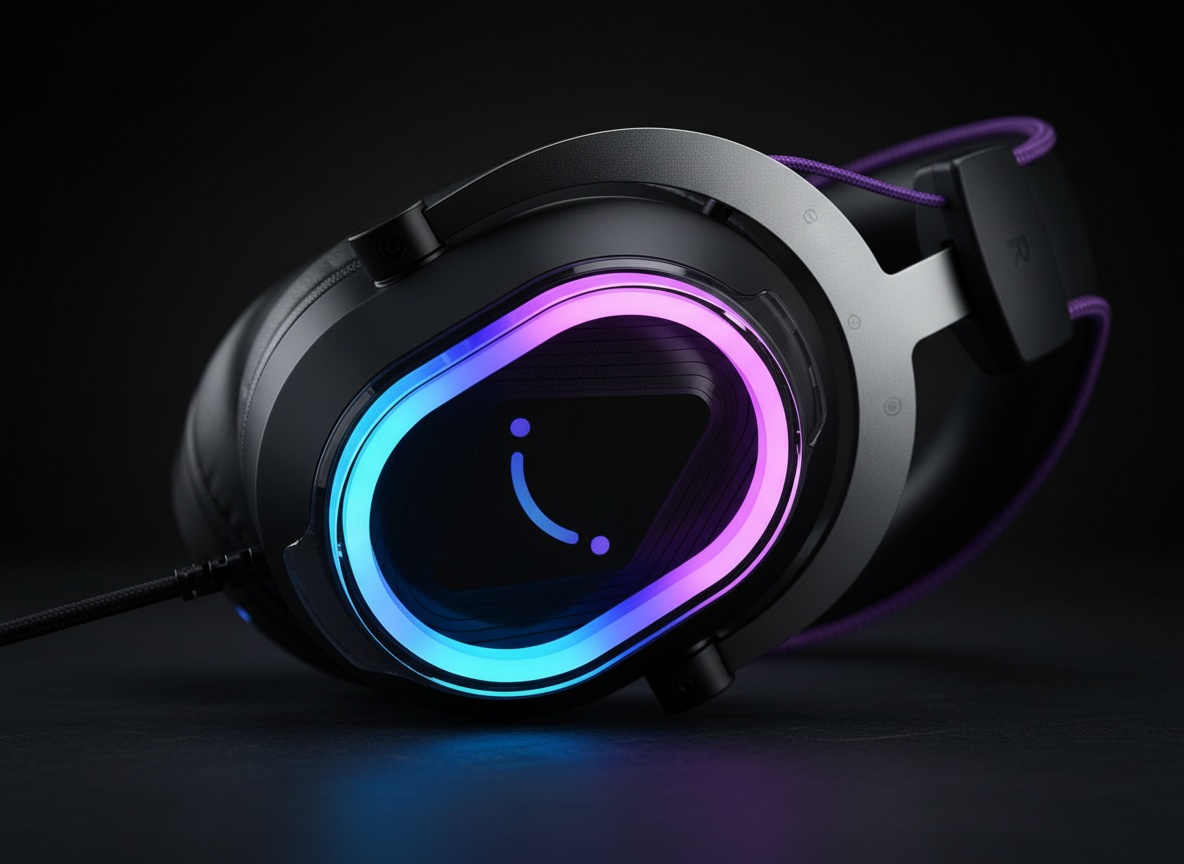
The transparent earcups are the whole pitch here. Most budget wired gaming headsets stuff a single LED strip somewhere and call it RGB. Most budget wired gaming headsets stuff a single LED strip somewhere and call it RGB. The FIFINE H13 lights the whole rhombus shell, so when it hits a webcam it actually glows instead of just blinking a dot. That matters if you’re on Twitch, YouTube, or Discord and the headset is half of what viewers see.
You get 11 lighting modes, cycled with a single click on the switch button. Long-press to kill the lights entirely when you want to save the vibe for a serious ranked session. No app, no software gymnastics. No app, no software, no friction.
The Specs Doing the Work
50mm dynamic driver + 7.1 surround: hear footsteps *and* which door they’re coming through in FPS matches. In FPS terms, that’s the difference between hearing footsteps and knowing which door they’re coming through. The closed-back earcups add passive noise isolation on top of the virtual surround, so outside noise gets muffled before the software ever touches it.
The mic is noise-canceling, aimed at keeping your chat hearing you and not your keyboard or the fan behind you. And there’s an inline USB control for volume, mic mute, and the game/chat balance mix right at your fingertips instead of buried in a menu.
Plug It In and It Just Runs
USB-A, no drivers, no account. That’s the appeal of a USB wired gaming headset over anything wireless or Bluetooth. You plug it into a PC, Mac, PS5, or PS4 and it works. The 7.55 ft braided cable is long enough to route behind a monitor or reach a console sitting under a TV without pulling your head sideways when you lean back.
The protein-skin pads over memory foam are doing two jobs: keeping your ears comfortable over a long session and forming the seal that makes closed-back isolation actually work. A loose fit undercuts both, so dial the headband until the cups sit flush before you judge either one.
The Catch: It Won’t Talk to Xbox
Here’s the thing to know before you buy. FIFINE spells it out clearly: the H13 is not compatible with Xbox, and it won’t run off a PS controller’s headphone jack either. It’s USB-A into the console or PC directly. If your entire setup lives on an Xbox, this one’s off the table no matter how good the lights look.
That’s not a defect, it’s a design choice around the USB connection, but it’s the kind of detail that turns into a return if you skip the fine print. Check your platform first.
Get it now
FIFINE H13 Gaming Headset
Get the best price on Amazon →As an Amazon Associate I earn from qualifying purchases. Some links on this site are affiliate links, if you buy though them I may make a commission at no extra cost to you.

Who This Is Actually For
If you stream on PC or PS5 and want your camera-facing gear to look intentional, this is squarely aimed at you. The transparent lit earcups are built to be seen, and the game/chat balance control is a streamer feature more than a solo-player one. FPS players who care about hearing directional footsteps get the 7.1 surround and the 50mm driver working together.
If this is your first real headset, wired removes a whole category of problems before they start, no dead battery ten minutes into a ranked match, no re-pairing after a reboot, no interference from a crowded 2.4GHz band. The 7.55 ft braided cable is long enough that you won’t notice the tether. At this price point, that tradeoff isn’t even close.
A Few Buyer Tips
Confirm your platform before anything else. PC, Mac, PS5, PS4 are in. Xbox and PS-controller jacks are out. That one line saves the most grief.
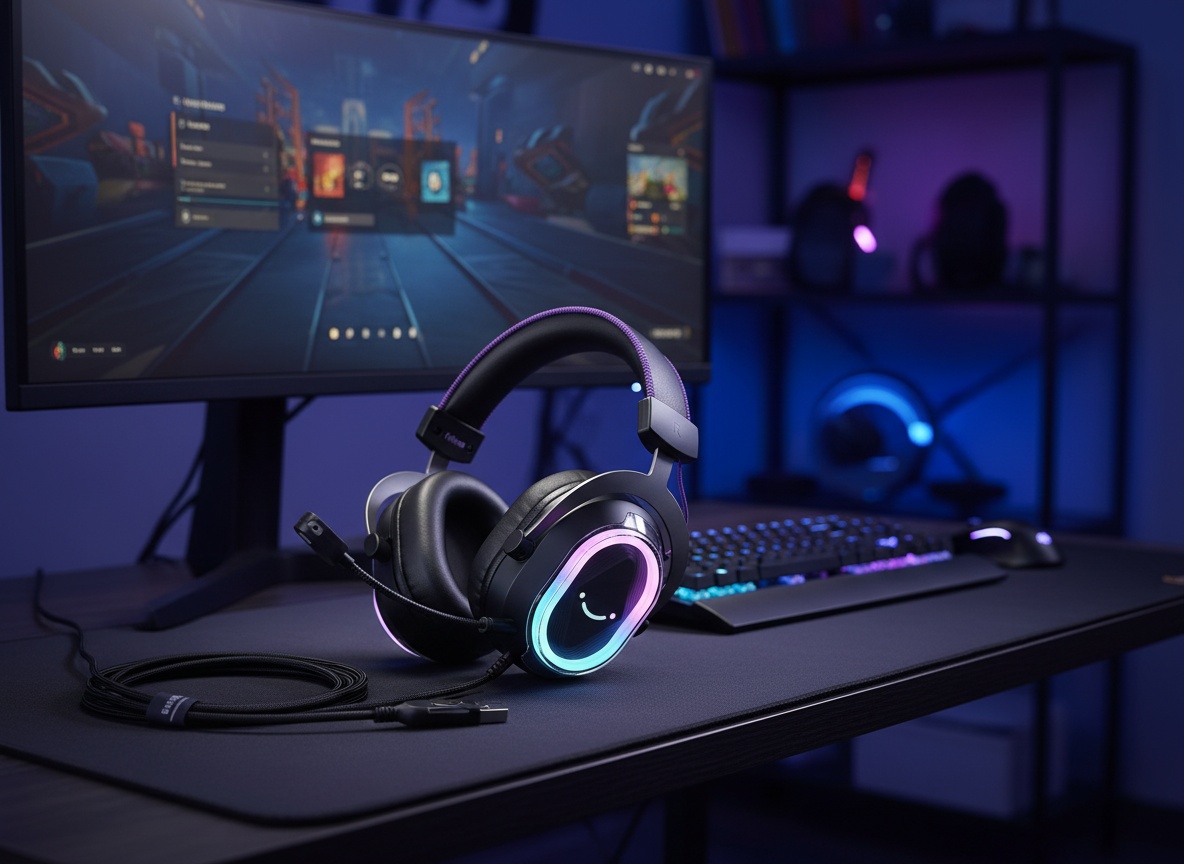
Route the 7.55 ft cable cleanly the first time so it isn’t tugging every time you turn. And if you’re on stream, spend a minute cycling through all 11 RGB modes on camera to see which one reads best under your lighting. What looks great to your eyes at the desk isn’t always what pops through the webcam.
Pros
- Full transparent rhombus earcups glow properly on camera, not just a single LED
- 11 RGB modes toggled with one click, no software needed
- 7.1 surround with a 50mm driver for directional FPS audio
- USB plug-and-play on PC, Mac, PS5, PS4
- Inline control for volume, mic mute, and game/chat balance
Cons
- No Xbox support and won’t run through a PS controller jack
- USB-A only, so no analog fallback for phones or older devices
- Closed-back isolation depends on getting a good seal from the fit
Frequently Asked Questions
Does the FIFINE H13 work with Xbox?
No. FIFINE states the H13 is not compatible with Xbox, and it won’t work through a PS controller’s headphone jack either. It’s built for USB-A on PC, Mac, PS5, and PS4.
Do I need to install any software or app?
No app or driver required. It’s plug-and-play over USB-A, including the RGB and the 7.1 surround. You control lighting and audio through the switch button and inline controls.
How long is the cable?
The braided USB-A cable is 7.55 feet, long enough to route behind a monitor or reach a console tucked under a TV. It gives decent movement range without an extension.
Can I turn the RGB lights off?
Yes. Long-press the switch button to toggle the RGB off entirely. A single click cycles through the 11 lighting modes when you want them on.
Is the microphone good enough for streaming and Discord?
The mic is noise-canceling and aimed at cutting background sound so your chat hears you clearly. For Discord calls and casual streams it handles the basics, voice comes through clean and keyboard clatter stays in the background. If you’re broadcasting to an audience that expects broadcast-quality audio, a dedicated USB condenser mic is still the right call.
Does it work on a Mac?
Yes, it supports both Windows and macOS over USB-A with no extra setup. Plug it in and it’s recognized as a USB audio device.
Are the ear pads comfortable for long sessions?
They use protein-skin pads over memory foam cushions with an adjustable headband, built specifically for marathon play. Comfort depends on head size and how tight you set the fit, but the design targets all-day wear.
How is this different from a wireless gaming headset?
Being wired means no battery to charge, no pairing, and no signal dropouts mid-match. The trade-off is the cable, but for reliability and a lower price point, a wired gaming headset like this is the simpler choice.
Get it now
FIFINE H13 Gaming Headset
Get the best price on Amazon →As an Amazon Associate I earn from qualifying purchases. Some links on this site are affiliate links, if you buy though them I may make a commission at no extra cost to you.
About the reviewer
Jarrett Dottin
Licensed Occupational Therapist dedicated to helping others live their best lives. Certified lymphedema therapist and amazon affiliate who has tested over 1,000 different products.