

Reviewed by
Jarrett Dottin
Licensed Occupational Therapist dedicated to helping others live their best lives. Certified lymphedema therapist and amazon affiliate who has tested over 1,000 different products. About JD →
As an Amazon Associate I earn from qualifying purchases. Some links on this site are affiliate links, if you buy though them I may make a commission at no extra cost to you.
Quick Verdict
I recently discovered that a single USB-C docking station can transform my single-port laptop into a two-monitor desk with USB 3.0, SD readers, and 100W charging all running simultaneously. The OREI SplitExtend is a palm-sized aluminum block that does the job of a much bigger dock, as long as you understand the 4K @30Hz ceiling before you buy.
Buy if you:
- Work off a laptop with only one or two USB-C ports
- Want two external HDMI monitors without a full-size dock
- Need USB 3.0 ports and an SD reader for photo or video work
- Travel and want the whole desk to fit in a jacket pocket
Skip if you:
- Need 4K at 60Hz on a single monitor for gaming or motion work
- Run a Mac and expect true extended dual displays (macOS mirrors both)
- Want a dock with Ethernet, audio jack, or more than a couple USB ports
Clicking takes you to the seller's website. We may earn a small commission if you purchase, at no extra cost to you.
| Video output | 2x HDMI 2.0, up to 4K@30Hz single / 1080p@60Hz dual |
|---|---|
| USB ports | 2x USB 3.0 Type-A, 1x USB 3.0 Type-C |
| Card readers | SD + Micro SD |
| Power delivery | 100W PD pass-through charging |
| Housing | Aluminum alloy with surge protection |
| Warranty | 12 months |
One Cable Replaces My Whole Desk Docking Station
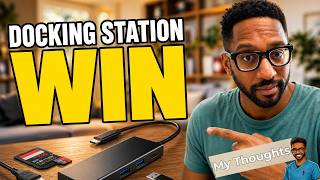
My laptop has two ports, and one of them is always busy charging. That single problem is what a docking station like the OREI SplitExtend exists to solve. Plug it into one USB-C port and suddenly you’ve got two HDMI monitors, two USB 3.0 slots, a USB-C port, SD and Micro SD readers, and 100W of charging all running off that same connection.
The size is the first thing that catches people off guard. Most docks with this port count are palm-wide plastic slabs with a cooling vent on the side. The SplitExtend is a small aluminum block you can close your hand around, and it runs cool and silent doing it.
What’s Packed Into This Little Aluminum Block
Two HDMI 2.0 outputs are the headline. You get 4K@30Hz on a single monitor, or 1080p@60Hz spread across two screens. That split is the whole reason to understand this dock before buying. Single big display or dual displays, but not dual 4K at high refresh.
Around the sides you’ve got 2x USB 3.0 Type-A ports and 1x USB 3.0 Type-C for peripherals and fast data transfer, plus the SD and Micro SD card readers that make this more than a video adapter. The dedicated USB-C PD port pushes up to 100W back into your laptop, so the machine stays charged while it drives both monitors. The housing is aluminum alloy with surge protection, and it’s backed by a 12-month warranty.
Two Monitors, Charging, And Peripherals All At Once
Nothing gets sacrificed: dual monitors run while the laptop charges at 100W while a mouse and external drive sit in the USB 3.0 ports. On a two-port laptop that’s not a given, it’s usually the whole reason you end up juggling dongles in the first place. On a two-port laptop, that combination normally means juggling dongles and unplugging one thing to plug in another. Here it all lives on one cable.
On Windows the dual monitors work as a true extended desktop through MST, so you can drag windows across three screens counting the laptop. That’s the setup most people picture when they think docking station dual monitor. For photo and video folks, the SD readers mean you can pull a card straight into the workstation without a separate reader cluttering the desk.
The 30Hz Ceiling Is The Thing To Understand
4K on this dock tops out at 30Hz, the spec that matters most before you buy. For spreadsheets, email, coding, writing, and general desktop work, 30Hz at 4K is fine. Your eyes won’t fight it. But if you’re gaming, editing fast motion, or you’re the type who notices cursor lag, 30Hz on a 4K panel feels slightly soft compared to the 60Hz you’re used to.
The workaround is baked into the spec. Drop to dual 1080p and you get a smooth 60Hz across both screens. So the real decision is one sharp 4K display at 30Hz, or two 1080p displays at 60Hz. There’s also the Mac side to know about. macOS uses mirror mode (SST) rather than true extended dual output, so a Mac shows the same image on both monitors instead of a stretched desktop. Windows users get the extended multi-monitor experience; Mac users should go in expecting mirroring.
Get it now
OREI SplitExtend Docking Station
Get the best price on Amazon →As an Amazon Associate I earn from qualifying purchases. Some links on this site are affiliate links, if you buy though them I may make a commission at no extra cost to you.
Who Actually Gets The Most Out Of It
This is a work-from-home and travel dock more than a gaming rig accessory. If you dock a laptop at a desk during the day and unplug it at 5, the one-cable convenience is the whole point. Two monitors, keyboard, mouse, and charging connect and disconnect with a single pull.
It also fits people who bounce between locations. Because it’s small and aluminum, it survives a bag and sets up a full workstation wherever there’s a monitor or two. Creators who shoot on cameras will like the built-in SD and Micro SD readers. Office multitaskers who live in browser tabs and documents get the dual-screen spread without a bulky dock eating desk space.
How It Stacks Up Against A Full-Size Dock
A full-size Thunderbolt dock beats this on raw output. Those bigger stations push dual 4K at 60Hz, add Ethernet, an audio jack, and more USB ports, and they usually cost a lot more and stay parked on one desk. If your job is 4K video editing across two high-refresh panels, the bigger dock wins and it isn’t close.
What the SplitExtend trades away in ceiling it wins back in portability and price. A Thunderbolt dock that matches it on USB ports and adds dual 4K@60Hz will run you two to three times more and won’t fit in a jacket pocket. If your work is browser tabs, documents, and Zoom calls rather than 4K timeline scrubbing, the cheaper, smaller box is the right call.
A Couple Of Tips Before You Plug In
Check that your laptop’s USB-C port supports video output (DisplayPort Alt Mode) before ordering. Not every USB-C port carries a display signal, and a data-only port won’t drive the monitors no matter how good the dock is. If you’re on Windows, dig into Display Settings after plugging in and set the arrangement to Extend so you get separate desktops instead of duplicates.
Decide your resolution goal up front. Want one crisp 4K screen? You’re at 30Hz. Want smooth motion on two screens? Run dual 1080p at 60Hz. Knowing which camp you’re in saves the disappointment of expecting dual 4K at 60Hz, which this dock isn’t built to deliver.
Pros
- Runs two HDMI monitors, USB 3.0 peripherals, and 100W charging off one USB-C cable
- Small aluminum housing that pockets easily and travels well
- True extended dual displays on Windows via MST
- Built-in SD and Micro SD readers for photo and video work
- Surge protection and a 12-month warranty
Cons
- 4K caps at 30Hz on a single monitor, not the 60Hz motion folks want
- macOS mirrors both screens (SST) instead of extending them
- No Ethernet or dedicated audio jack for a full desk hub
- Requires a USB-C port with video output, which not all laptops have
Frequently Asked Questions
What laptops is this docking station compatible with?
Any laptop with a USB-C port that supports video output (DisplayPort Alt Mode). That covers most modern Windows laptops, MacBooks, and many Chromebooks. If your USB-C port is data-only, it won’t drive the monitors, so check the port spec first.
Does it need an app, driver, or account to work?
No app or account is needed. It’s plug-and-play on Windows and macOS. You just adjust arrangement in your operating system’s Display Settings if you want to fine-tune how the screens line up.
Can it charge my laptop while running two monitors?
Yes. The dedicated USB-C PD port delivers up to 100W back to your laptop while both HDMI monitors and the USB ports are in use. Everything runs simultaneously off the single connection.
Why can’t I get 4K at 60Hz?
The dock is spec’d for 4K@30Hz on a single display or 1080p@60Hz on dual displays. It doesn’t support dual 4K at 60Hz. For that you’d need a higher-bandwidth Thunderbolt dock, which costs considerably more.
Does it work with two different monitors that aren’t identical?
Yes, the two HDMI outputs are independent, so mismatched monitors work fine. On Windows you can extend across both with their own resolutions. Just keep in mind the shared 4K@30Hz or dual 1080p@60Hz ceiling applies to the whole setup.
Does a MacBook get an extended desktop like Windows?
No. macOS uses mirror mode (SST) here, so both external monitors show the same image rather than a stretched desktop. Windows users get true extended dual displays through MST. Mac buyers should plan for mirroring.
Is there a warranty and does it get firmware updates?
It comes with a 12-month warranty and aluminum housing with surge protection. It’s a passive adapter dock rather than a smart device, so there’s no firmware to update. If something fails within the year, the warranty covers it.
Will it work for a photographer pulling camera cards?
Yes. The built-in SD and Micro SD readers let you import straight from a camera card into your workstation without a separate reader. Combined with the USB 3.0 ports for external drives, it’s a tidy setup for offloading and editing.
Get it now
OREI SplitExtend Docking Station
Get the best price on Amazon →As an Amazon Associate I earn from qualifying purchases. Some links on this site are affiliate links, if you buy though them I may make a commission at no extra cost to you.
About the reviewer
Jarrett Dottin
Licensed Occupational Therapist dedicated to helping others live their best lives. Certified lymphedema therapist and amazon affiliate who has tested over 1,000 different products.